Square in Spanish: How to Switch the Dashboard, Emails and Receipts to Spanish
Disclosure: some links on this page may be affiliate links. If you sign up through them, we earn a commission at no extra cost to you. This site belongs to NEXO Digital, an agency that sells websites, chat and receptionist services to Hispanic businesses. Details.
The short answer
- Square has four language settings, and each one changes something different. That is why you can set everything to Spanish and still see English.
- The dashboard (menus and buttons on your computer) follows your web browser's language. You can't change it inside Square.
- The receipts and emails your customers get use your location's language ("Preferred language").
- Your personal language only changes the sign-in page and some notices Square sends to you.
- Square has a help center in Spanish and says it has offered Spanish-language support since 2022.
"When I opened NEXO's Square account, I set both the business language and my own to Spanish, and the dashboard stayed in English. I reloaded, signed out and back in, and nothing. The browser language fixed it, which is exactly what Square's help center says."
Square's four languages
| Setting | What it changes | Where it is |
|---|---|---|
| Browser language | The Square Dashboard on your computer: menus, buttons and screens. | In your web browser's settings, not in Square. |
| Location language ("Preferred language") | Your customers' receipts and Square's emails for that location. | Settings › Account & settings › My business › Locations › your location. |
| Personal language | The sign-in page and some emails and texts Square sends to you, not to your customers. | Settings › Account & settings › Personal information › Preferences. |
| Business language | Your business's general language in Square. On its own, it did not change our dashboard. | Settings › Account & settings › My business › About. In the app: ≡ More › Settings › Account › Business information. |
What happened to us: everything in Spanish, dashboard in English
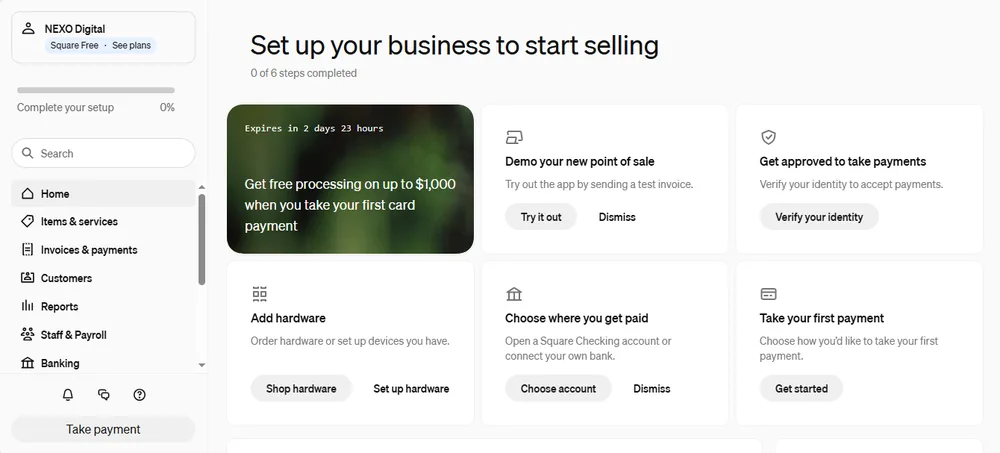
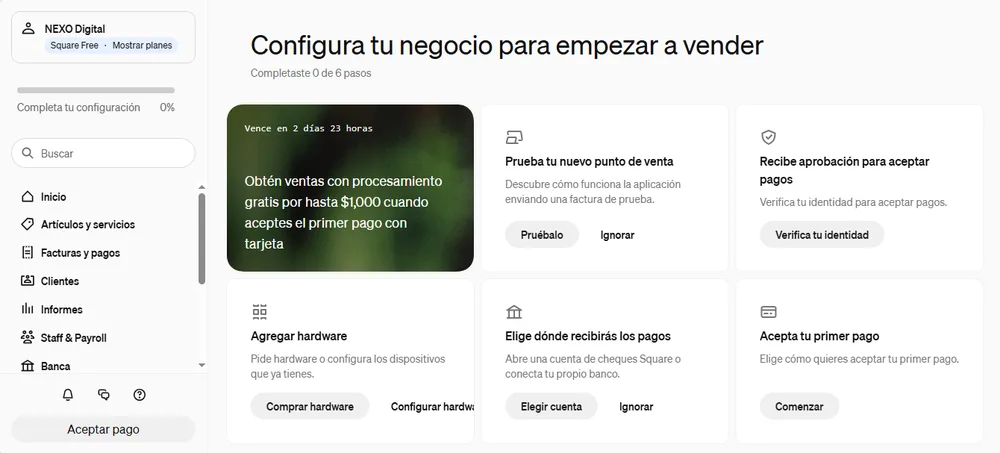
We opened NEXO Digital's Square account on November 10, 2026. We chose Spanish when we signed up, and the dashboard showed up in English:
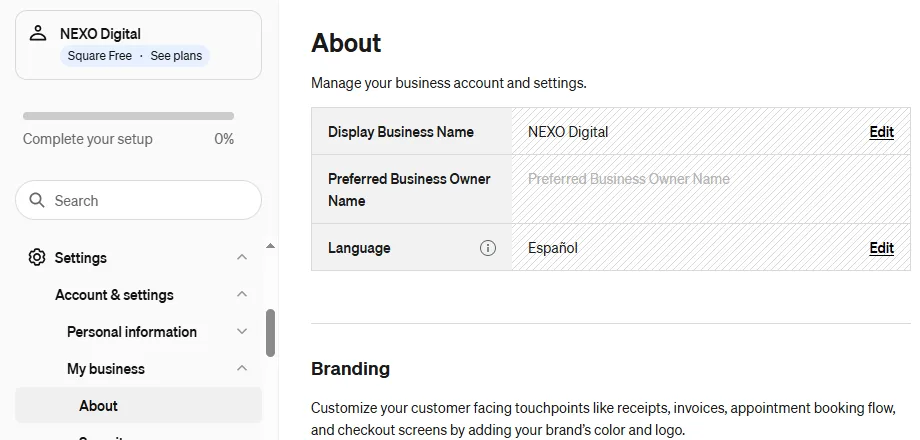
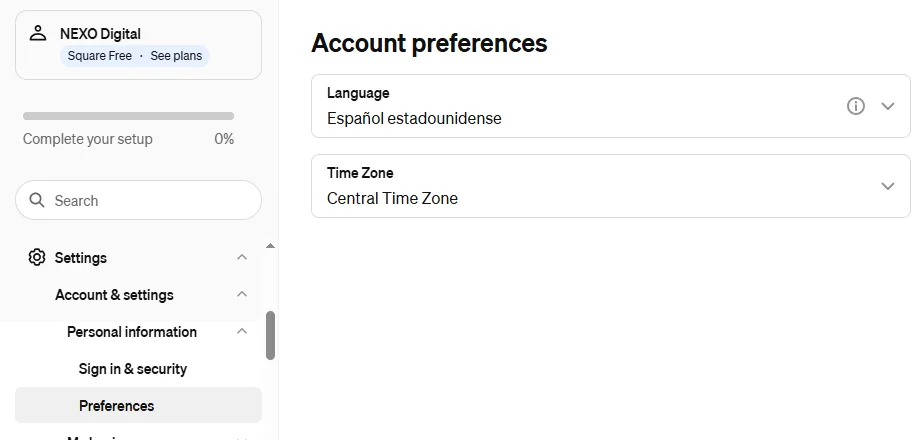
We checked the settings. The business language was already Español and the personal one was Español estadounidense (U.S. Spanish):
We reloaded the page, signed out and signed back in. Still English. Square's help center explains why: "To change the language of your Square Dashboard, you must change your web browser language."
Step by step: the Square Dashboard in Spanish
We use Microsoft Edge on Windows:
- Open Settings › Languages. You can also type
edge://settings/languagesin the address bar. - Add Spanish if it isn't there, and move it to the top of the list.
- Close Edge completely and open it again.
- Go to Square and reload the page.
Two things worth knowing:
- In Edge, this change also switches the browser's own menus to Spanish, not just Square.
- Some parts of Square stay in English even when the rest switches. In our case, for example, "Staff & Payroll."
If you use Chrome, Safari or another browser, look for "Languages" in its settings. Square recommends checking your browser's help center.
Spanish receipts and emails for your customers
This matters most if your customers speak Spanish. According to Square's help center, the language of your customer receipts and of Square's emails is set per location:
- Go to Settings › Account & settings › My business › Locations.
- Open your location.
- Under "Preferred language," choose Español and save.
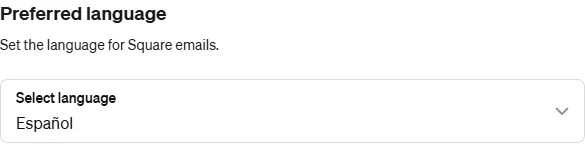
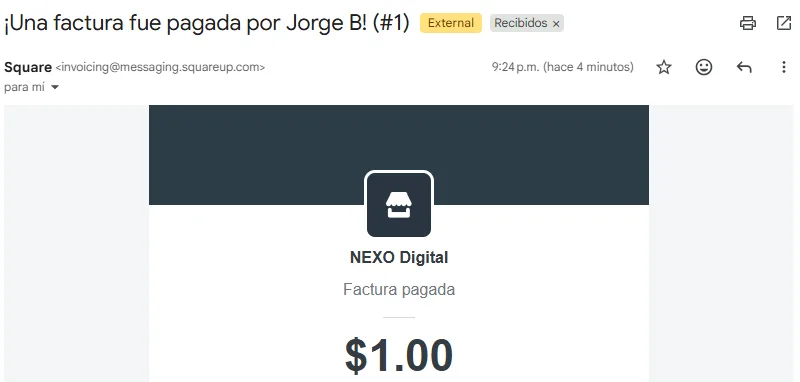
With the location set to Spanish, Square's notice when a test invoice was paid reached us in Spanish, even though the dashboard was in English:
On that same location screen you can also change the phone and email your customers see, and remove your address from receipts by choosing "Mobile location." Square's help center explains it, and we show it with screenshots in our guide to taking card payments.
Square help and support in Spanish
- Help center in Spanish: at the bottom of any Square help page, under "Choose your region and language," pick Estados Unidos (Español). The articles are the same, translated.
- Support in Spanish: in September 2022, Square announced that all of its products were available in Spanish for U.S. businesses, "backed up by Spanish-language customer support and resources."
- Customer support phone: 1 (855) 700-6000, the number listed on its pages. When you call, ask for Spanish. We haven't tried it ourselves yet. When we do, we'll share it here.
What about the phone app?
According to Square's help center, in the app you change the business language under ≡ More › Settings › Account › Business information › Language. We haven't tried the app on our phone yet. We'll do it in our guide to taking payments with your phone, and add what we see here.
Summary: what to change for what you want
- I want to see Square in Spanish on my computer: change your browser's language.
- I want my customers to get receipts and emails in Spanish: set your location's "Preferred language" to Spanish.
- I want Square's notices to me in Spanish: change your personal language and your location's language.
- I want help in Spanish: use the help center under "Estados Unidos (Español)" or ask for Spanish when you call.
Would you rather have some help?
This guide is made by NEXO Digital, a Houston agency that works with Hispanic businesses: websites, bilingual chat, and a receptionist that answers at any hour. If you have questions about getting paid or presenting your business online, write to us and we'll tell you what we would do.
Sources
- Square Support Center, "Edit your account and business information" (dashboard, personal and business language; updated Apr 23, 2026): squareup.com · accessed Nov 15, 2026.
- Square Support Center, "Customize receipts" (receipt language per location and "Mobile location"; updated Apr 23, 2026): squareup.com · accessed Nov 15, 2026.
- Square press release, Sep 13, 2022, "Square's Complete, Integrated Product Ecosystem now available en Español": squareup.com · accessed Nov 15, 2026.
- Our own experience: NEXO Digital's Square account, opened on Nov 10, 2026, and test payment on Nov 14, 2026. Our own screenshots.