Card Readers for Small Business: Which One Fits You (and When Your Phone Is Enough)
Disclosure: some links on this page may be affiliate links. If you sign up through them, we earn a commission at no extra cost to you. This site belongs to NEXO Digital, an agency that sells websites, chat and receptionist services to Hispanic businesses. Details.
The short answer
- Before you buy anything, check whether your phone is enough. With Square and SumUp you can take payments by having customers tap their card on your phone, with no reader and no monthly fee: you only pay the fee on each payment.
- The cheapest reader for chip and tap: SumUp Plus at $37 (on sale, was $54) and Square's reader at $59. Both connect to your phone.
- If you want a device that works on its own and prints receipts: SumUp Terminal at $174 (on sale, was $249), Square Terminal at $299 and Helcim Smart Terminal at $349.
- Clover sells systems with a monthly fee. Its hardware offer requires a 3-year contract.
- Over a year, the fees matter more than the device. The math is below.
We haven't bought any reader. Every price and detail in this guide comes from each company's official pages, checked on November 15, 2026. What we do ourselves is take payments on a phone, with NEXO Digital's Square account.
Our real Tap to Pay payment
Real payment · November 19, 2026
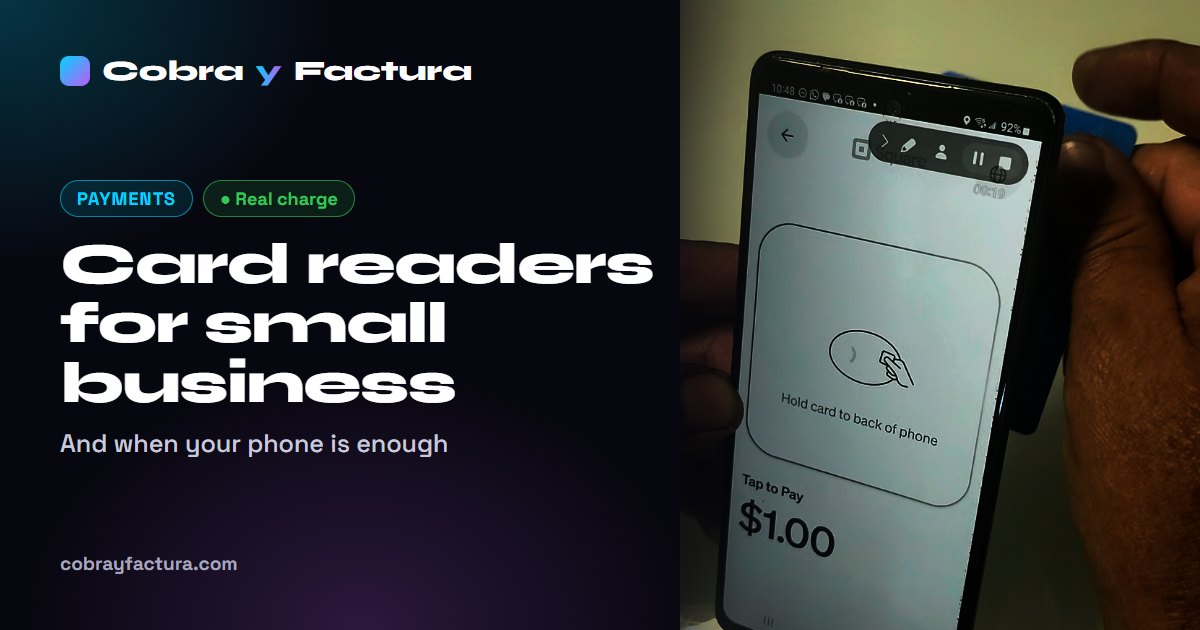
We took a $1.00 payment with the Square app on a Galaxy S20, with no reader. We paid with one of our own cards, holding it to the back of the phone, and the payment was approved in a few seconds.
- Enter the amount and tap Review sale.
- Tap Charge and choose Tap to Pay.
- The customer holds their card to the back of the phone.
- Approved shows up and you pick the receipt: email, text message or none.
On our phone, Tap to Pay already showed as enabled under More › Settings › Hardware. All it needed was NFC turned on.
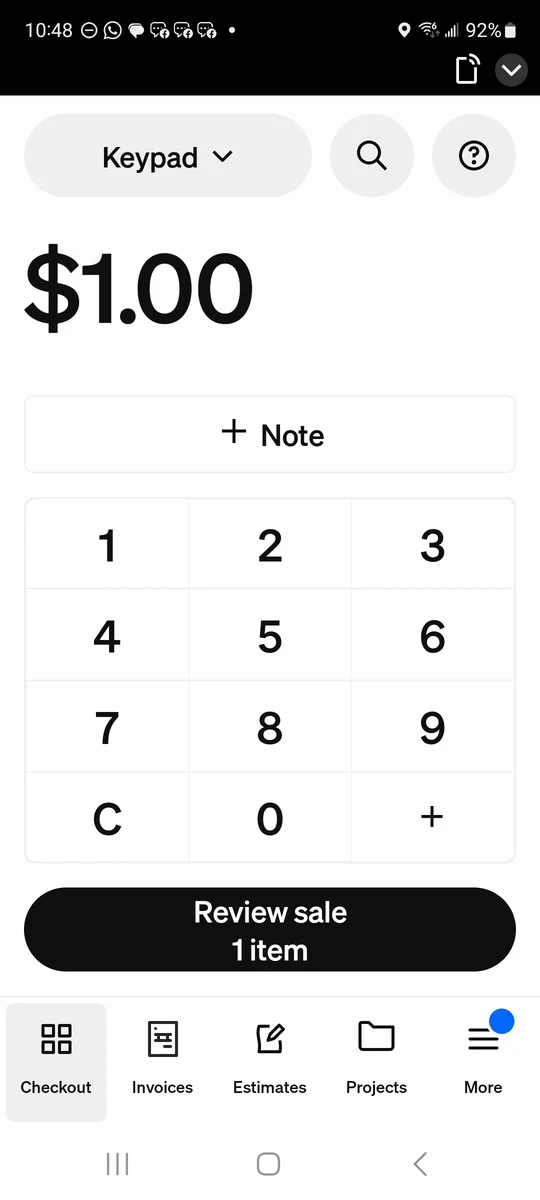 1 · Amount
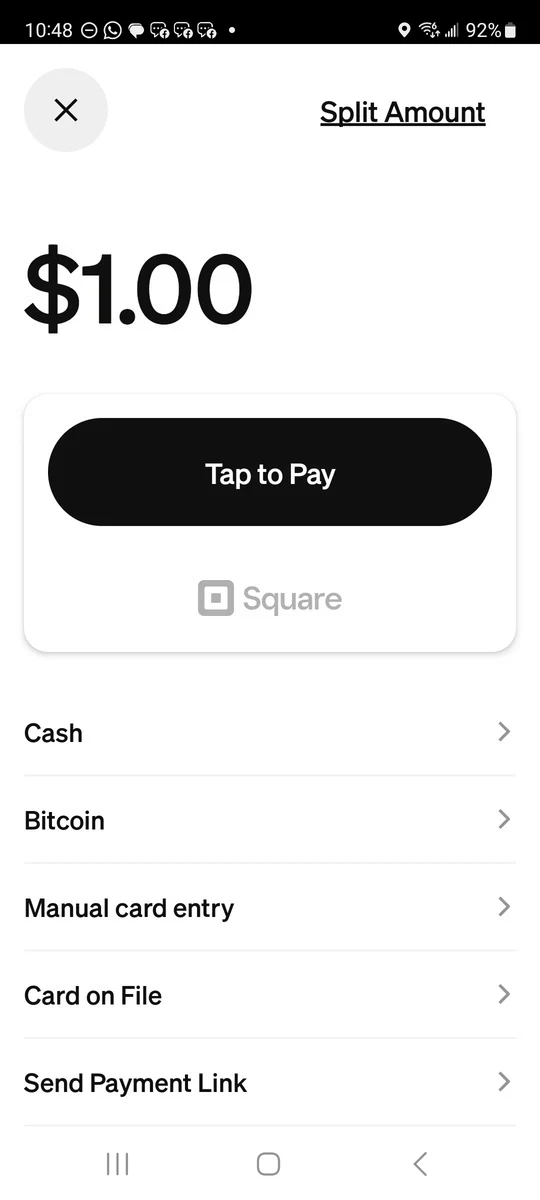 2 · Tap to Pay
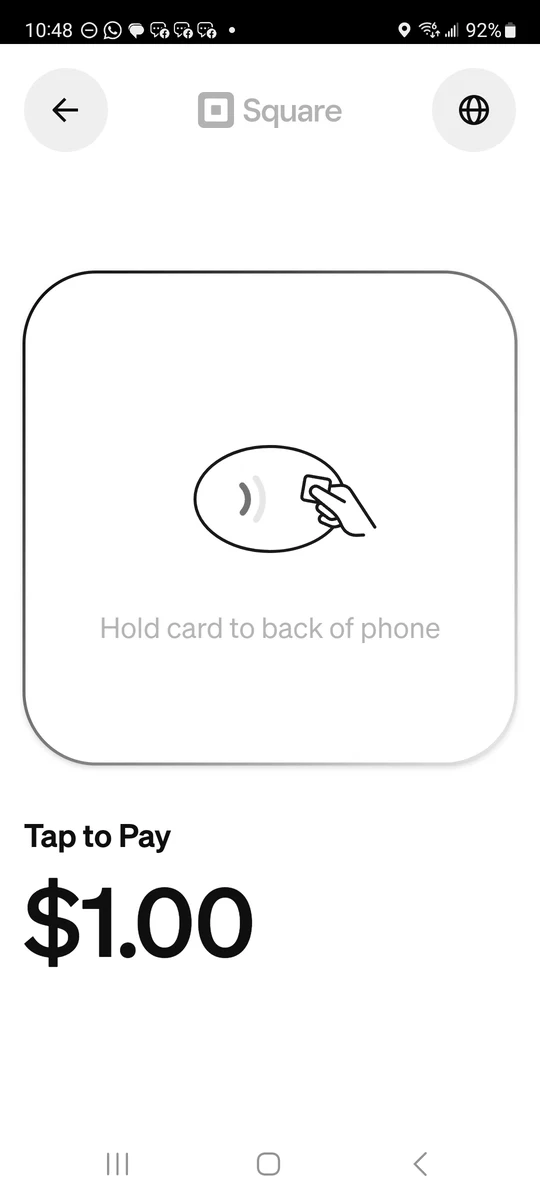 3 · The card
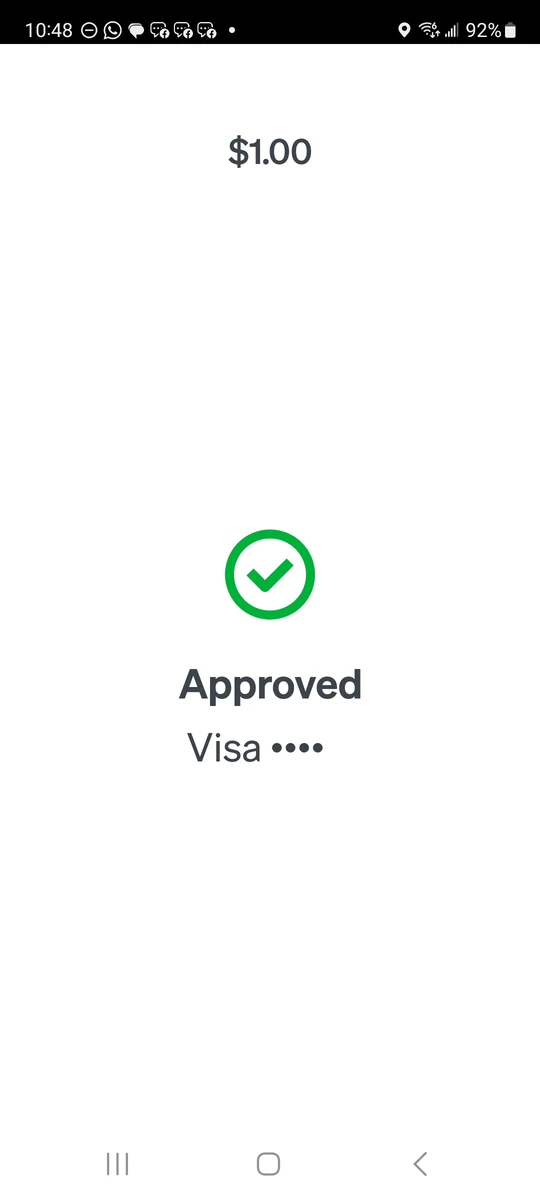 4 · Approved
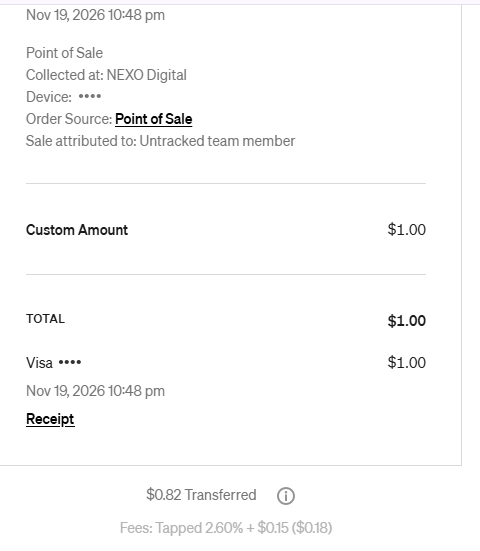
First: is your phone enough?
Many phones can already take card payments. Your customer taps their card (or their phone with Apple Pay or Google Pay) on the back of your phone, and that's it. It's called Tap to Pay, and it uses the phone's NFC chip, the same one you use to pay by tapping your phone.
| Company | Android | iPhone | Fee per payment | Cost |
|---|---|---|---|---|
| Square | Android 9 or newer, with NFC | Latest version of iOS | 2.6% + 15¢ | $0 (Square Point of Sale app) |
| SumUp | Android 11 or newer, with NFC | Latest version of iOS | 2.6% + 10¢ | $0 (SumUp Business app) |
| Helcim | Not found on its site | iPhone XS or newer, latest version of iOS | Its in-person rate + 10¢ per payment | $0 (Helcim Point of Sale app) |
| Clover | Not shown on its pricing pages | Not shown on its pricing pages | — | Its smallest option is the Clover Go reader |
What your phone can't do
- It only takes tap cards and phone wallets. If your customer's card doesn't have the contactless symbol, they can't insert or swipe it.
- No printed receipt: receipts go by email or text.
- It needs internet, through data or wifi, and it uses your phone's battery.
- Your customer taps their card on your phone. If that bothers you, a small reader solves it.
In Square, you turn it on in the app: More › Settings › Hardware › Tap to Pay. Square may also ask you to turn on your phone's NFC. If you'd rather use Square in Spanish, our guide to Square in Spanish shows how to switch the language.
Readers and terminals at a glance
| Device | Price | Accepts | Needs your phone? | Printed receipt |
|---|---|---|---|---|
| SumUp Plus | $37 on sale (was $54) | Tap, chip and swipe | Yes | No |
| Square Reader (contactless and chip) | $59 | Tap and chip | Yes, over Bluetooth | No |
| SumUp Solo | $99 (sold out on Nov 15) | Tap and chip | No: wifi or built-in data | With a separate printer ($118 on sale, was $169) |
| Helcim Card Reader | $199 + shipping | Tap and chip (no swipe) | No: wifi, or data for $7 a month (optional) | No |
| SumUp Terminal | $174 on sale (was $249) | Tap and chip | No | Yes |
| Square Terminal | $299, or $27 a month for 12 months | Tap, chip and swipe | No: wifi | Yes |
| Helcim Smart Terminal | $349 + shipping, or $32 a month for 12 months | Tap, chip and swipe | No: wifi and mobile data | Yes |
| Clover Go | $199 + a $29.95 monthly plan | Reader for your phone | Yes | No |
Square: from your phone to a full register
Square charges no monthly fee to use its readers on the free plan (Square Free), and its pages say there are no long-term contracts. In person it charges 2.6% + 15¢, with a reader or with your phone.
- Contactless and chip reader: $59. It connects to your phone or tablet over Bluetooth, and the battery lasts all day. Square says it can take offline payments for up to 24 hours. One-year limited warranty.
- Magstripe reader: Square gives it away free, but it only swipes.
- Square Terminal: $299, or $27 a month for 12 months. It works on its own, prints receipts and takes tap, chip and swipe. It connects over wifi. One-year limited warranty.
- For a store or restaurant: Square Stand at $149 (you need an iPad), Square Handheld at $399 and Square Register at $899.
Square's monthly payments are a credit plan from Block, the company that owns Square. Square lists a 15% APR, requires credit approval and doesn't offer it in Alabama, Delaware, Mississippi, Missouri, New Hampshire or Tennessee.
SumUp: the cheapest reader, on sale
SumUp charges 2.6% + 10¢ in person, 5¢ less per payment than Square. Its standard plan has no monthly fee.
- SumUp Plus: $37 on sale (was $54). Takes tap, chip and swipe. It works with the app on your phone, and SumUp says it handles over 500 payments on one charge.
- SumUp Solo: $99. Works without a phone, over wifi or with its SIM card with unlimited data. It showed as sold out on November 15.
- SumUp Terminal: $174 on sale (was $249). It has a printer, and SumUp says the battery lasts up to 14 hours.
- Returns: 30 days to return it for a full refund, counted from delivery. One-year warranty. Free shipping.
For Tap to Pay on Android, SumUp requires Android 11 or newer, more than Square.
Helcim: a reader with its own data, no monthly fee
Helcim has no monthly fees and no contracts. It charges the card's cost ("interchange") plus a margin of 0.40% + 8¢ in person, if you process up to $50,000 a month. We explain how that works in our guide on how to take card payments.
- Helcim Card Reader: $199 plus shipping, no installments. Takes tap and chip, but no swipe. Works on its own or with your phone, tablet or computer. Connects over wifi or its optional $7 a month data plan. Helcim says it doesn't take offline payments.
- Helcim Smart Terminal: $349 plus shipping, or $32 a month for 12 months ($384 total, $35 more than paying upfront). It has a printer, wifi and mobile data, and it does swipe.
- Health cards (HSA): since the reader doesn't swipe, Helcim recommends the Smart Terminal for them.
- You need an approved Helcim account to use its devices.
Clover: systems with a monthly fee
Clover sells full systems with a monthly software plan, and the price depends on your type of business. Here are two examples from its pricing pages:
| Business type | System | Price | In-person fee |
|---|---|---|---|
| Home & field services | Clover Go reader | $199 + $29.95 a month | 2.5% + 10¢ |
| Home & field services | Clover Flex (handheld, with printer) | $749 + $84.95 a month, or $125 a month for 36 months | 2.3% + 10¢ |
| Personal services (salons, barbershops) | Clover Compact (countertop) | $349, or $16 a month for 36 months | 2.6% + 10¢ |
| Personal services (salons, barbershops) | Clover Mini (8" screen) | $849 + $84.95 a month, or $130 a month for 36 months | 2.3% + 10¢ |
For keyed-in cards, Clover charges 3.5% + 10¢ on all of these plans. Clover says these prices are only available on Clover.com.
Its $450 statement credit offer, when you buy Station, Mini or Flex, comes with conditions: a 3-year contract, credit approval and processing $10,000 in the first 4 billing cycles. It expires December 31, 2026. Before you sign, ask in writing for the total you'll pay over the 36 months.
Example: a year at $4,000 a month
Say you take 100 payments of $40 a month, all in person, with US cards. This is what you'd pay in the first year between the device, the monthly fee and the processing fees, using the published rates:
| Option | Device and monthly fee | Fees for the year | First-year total |
|---|---|---|---|
| SumUp, with your phone | $0 | $1,368 | $1,368 |
| SumUp Plus ($37) | $37 | $1,368 | $1,405 |
| Square, with your phone | $0 | $1,428 | $1,428 |
| Square Reader ($59) | $59 | $1,428 | $1,487 |
| SumUp Terminal ($174) | $174 | $1,368 | $1,542 |
| Square Terminal ($299) | $299 | $1,428 | $1,727 |
| Clover Go ($199 + $29.95 a month) | $558.40 | $1,320 | $1,878.40 |
| Clover Flex ($749 + $84.95 a month) | $1,768.40 | $1,224 | $2,992.40 |
With Helcim there's no exact total, because the card's cost changes with each customer's card. Its margin in this example would be $288 a year, plus the $199 reader and the card costs. Helcim says that for most businesses the in-person total ends up around 1.93% + 8¢. If that were your case, the first year would come to about $1,221. That's an average Helcim advertises, not a guarantee.
Notice the difference: the cheapest and most expensive devices are a few hundred dollars apart, but the fees come every month. When you compare, look at the fee first and the device second.
Which one fits you?
If you're just starting or rarely take cards
Start with your phone. You spend nothing on equipment and you learn how your customers like to pay. If many of them want to insert their card, buy a small reader later.
Contractors, cleaning and landscaping
You get paid at the customer's home. Your phone or a small reader is enough. If you don't want to depend on the customer's wifi or your own data, Helcim's reader has its own data for $7 a month. If you bill big jobs with invoices, see our guide on how to take card payments: an invoice paid by bank transfer (ACH) can cost you much less.
Food trucks, stands and taquerías
Lots of small sales and customers who ask for a receipt. A device with a printer, like SumUp Terminal, Square Terminal or Helcim Smart Terminal, saves you sending receipts one by one. If you sometimes lose signal, ask whether the device takes offline payments: Square says its reader does, for up to 24 hours, and Helcim says its reader doesn't.
Salons and barbershops
You get paid at the counter. A reader connected to a tablet works, or a device that works on its own. If someone offers you Clover, compare the 36-month total with buying a reader with no contract.
Before you buy, check this
- Contract: Square, SumUp and Helcim say they have no long-term commitment. Clover's hardware offer requires 3 years.
- Returns and warranty: SumUp gives you 30 days to return it. Square and SumUp give a one-year warranty.
- Internet: what happens without signal, and whether you need a data plan.
- Printed receipts: if your customers ask for them, pick a device with a printer.
- Swipe: some cards, like some health (HSA) cards, still swipe. Several newer readers don't.
- Sales: note the date. A sale price can change tomorrow.
What you spend on equipment and fees is part of your business numbers. How it's handled on your taxes is up to your accountant or tax preparer. We are not accountants, and this is not accounting or tax advice.
Want someone to help?
This guide is made by NEXO Digital, a Houston agency that works with Hispanic businesses: websites, bilingual chat and a receptionist that answers at any hour. If you have questions about taking payments or presenting your business online, message us and we'll tell you what we'd do.
Sources
- Square, hardware and prices: squareup.com · contactless and chip reader: squareup.com · Square Terminal and its terms: squareup.com · checked Nov 15, 2026.
- Square, Tap to Pay on Android (requirements, steps and fee): squareup.com · Tap to Pay page: squareup.com · fees: squareup.com · checked Nov 15, 2026.
- SumUp US, reader comparison, returns and warranty: sumup.com · shop: sumup.com · Tap to Pay: sumup.com · fees: sumup.com · checked Nov 15, 2026.
- Helcim, reader: helcim.com · Smart Terminal: helcim.com · Tap to Pay on iPhone: helcim.com · pricing: helcim.com · checked Nov 15, 2026.
- Clover, pricing for home and field services: clover.com · for personal services: clover.com · offer terms: clover.com · checked Nov 15, 2026.
- Our own experience: NEXO Digital's Square account, opened Nov 10, 2026.